
Endpoint that returns all available dates for given resource.
| Time | Status | User Agent | |
|---|---|---|---|
Retrieving recent requests… | |||
This TimeKit feature is very useful when you are searching for dates available for your resources. Let say that you want to search dates when your resource is available between two dates.
Date Availability by Project
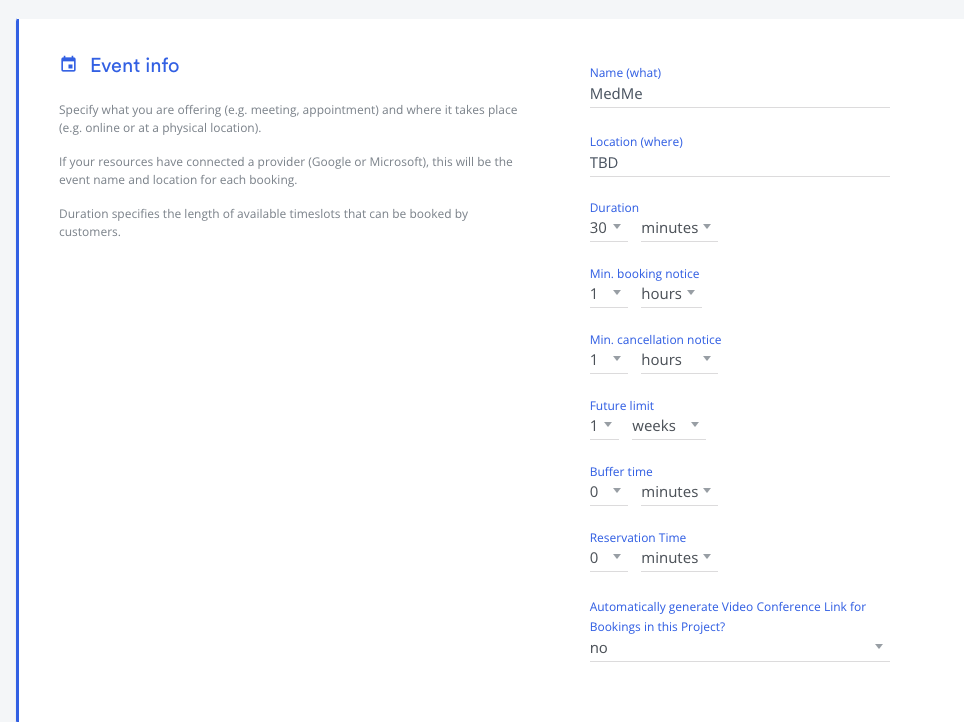
Let say that you have a project with following settings. length: 30 min duration with 1 week future limit.
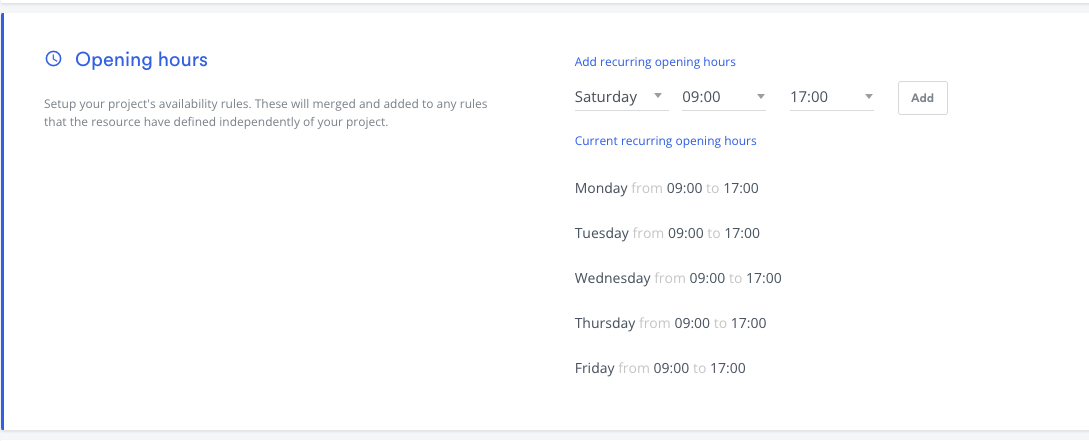
Let say that you have following opening hours are set on your project. Monday to Friday 9 to 5PM.
In above case when you run following request payload without to/from date. to will be set to now (i.e. today is June 10) and from will be set to 1 week of limit according to your project future limit.
{
    "project_id": "f7df8e1e-f04b-4e3f-9376-ed82b41f4036",
    "resources": [
        "a6fc1bdb-8035-4007-919b-6276b9124eb8"
    ]
}
{
    "data": [
        {
            "date": "2022-06-10",
            "resources": [
                "a6fc1bdb-8035-4007-919b-6276b9124eb8"
            ]
        },
        {
            "date": "2022-06-13",
            "resources": [
                "a6fc1bdb-8035-4007-919b-6276b9124eb8"
            ]
        },
        {
            "date": "2022-06-14",
            "resources": [
                "a6fc1bdb-8035-4007-919b-6276b9124eb8"
            ]
        },
        {
            "date": "2022-06-15",
            "resources": [
                "a6fc1bdb-8035-4007-919b-6276b9124eb8"
            ]
        },
        {
            "date": "2022-06-16",
            "resources": [
                "a6fc1bdb-8035-4007-919b-6276b9124eb8"
            ]
        },
        {
            "date": "2022-06-17",
            "resources": [
                "a6fc1bdb-8035-4007-919b-6276b9124eb8"
            ]
        }
    ]
}
You can also supply time and timezone along with the date range i.e Look for date available start from 2022-04-21 at 09:00 AM EST until 2022-04-21 17:00PM EST.
{
    "to": "2022-04-21T17:00:00-04:00",
    "from": "2022-04-21T09:00:00-04:00",
    "project_id": "f7df8e1e-f04b-4e3f-9376-ed82b41f4036",
    "resources": [
        "a6fc1bdb-8035-4007-919b-6276b9124eb8"
    ]
}